iPhone Duo gets facial unlock thanks to iOS 27.3 beta, but it’s not full Face ID — here’s everything you need to know
Latest from Tom's Guide ·
Jeff is U.K. Editor-in-Chief for Tom’s Guide looking after the day-to-day output of the site’s British contingent. Rising early and heading straight for the coffee machine, Jeff loves nothing more than dialling into the zeitgeist of the day’s tech news. A journalist for over a decade, he's travelled around the world testing and reviewing any gadget he can get his hands on. Before joining the team at Tom’s Guide, Jeff covered technology and science for two of the U.K.’s biggest national news sites: Metro.co.uk and the Daily Mirror. Memorable moments include getting lost in Vienna in an electric Audi, touring Lockheed Martin’s mile-long jet factory in Fort Worth and filming a Netflix documentary about Elon Musk in West London. When not plugged into the current news agenda, editing or commissioning a series of articles or debating the merits of Apple vs Android, Jeff can usually be found out for a run trying to shave precious seconds off his PB. Or lifting weights in a vain attempt to offset the ageing process.
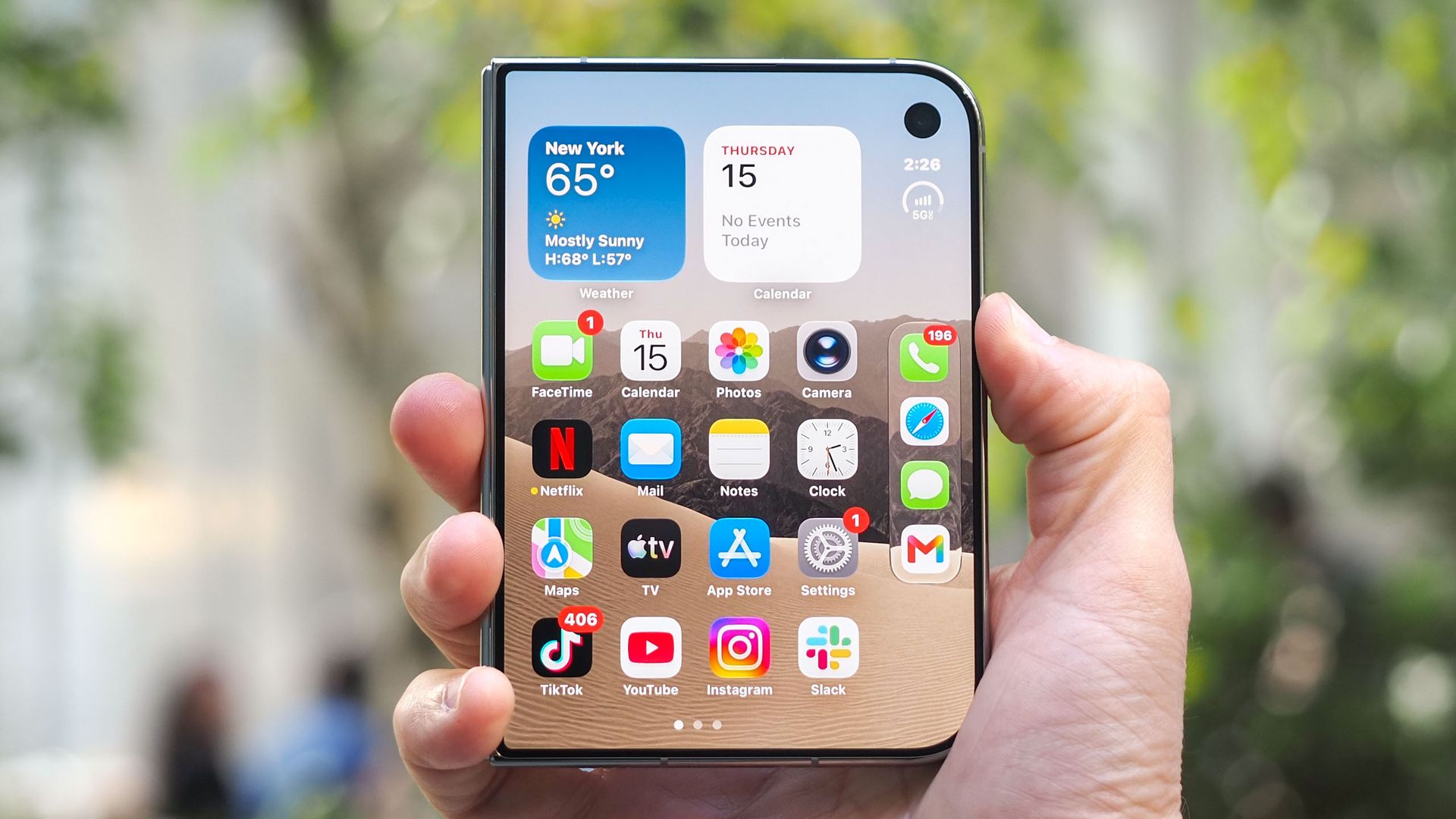
The iPhone Duo comes with a few trade-offs you shouldn't have to accept on a $2,000 phone; one of which is the lack of Face ID. We know Apple's engineers are prioritising it for the inevitable iPhone Duo 2 , but while we wait, an iOS 27 update could bridge the gap.
The iOS 27.3 beta introduces a new facial unlock option for iPhone Duo owners using the device's front-facing camera. It's a bit like Face ID Lite: users will need to authenticate with Touch ID every 45 minutes to use it, and they'll still need to resort to Touch ID for certain actions, like authorizing Apple Pay or filling in logins from Passwords.
Duo users will only be able to use the Unlock with Front Camera feature on the external 5.4-inch display. So, if the phone is unfolded, you can't use the under-display camera on the inner screen to achieve the same result.
Unlock with Front Camera can be found in the Touch ID & Passcode menu in your settings. However, you'll need to have an Apple Developer account and be running the iOS 27.3 developer beta before you can enable it.
If you want to try it for yourself, remember to be careful when installing beta software and ideally create a backup of your iPhone first. Once you're running the beta, switching the feature on is a simple toggle.
Go to your Settings app and scroll down to TouchID & Passcode . Tap the option and enter your passcode to proceed.
You'll see the option to toggle on Unlock with Front Camera . Tap it.
Similar to when you set up Face ID, you'll need to let the iPhone Duo scan your face to activate the feature. Once you've rotated your face, and looked at the camera, you're good to go.
As a leftie, I've been bugged by the fact that I can't use Face ID on the Duo over the last couple of weeks. This new feature could alleviate a huge amount of that frustration.
After trying it myself, it's worked well but I won't go into details at this stage, because it's still early days. Unlock with Front Camera hasn't yet made it to the iOS 27.3 public beta.
That being said, for those times when you're juggling the Duo one-handed, I can see this addition being a huge bonus. There will, of course, be some limitations, since the Duo's front camera isn't a full TrueDepth camera system. That means you won't be able to unlock it in full darkness and it's less secure — potentially leaving it open to being spoofed by a similar-looking face.
I can also forsee the 45-minute timeout tripping folks up a time or two, though. For most of my workday, the Duo rests either face up or in Tent Mode, and it's easy for 45 minutes to go by without checking — especially if you have one of the best Apple Watches serving you notifications.
We'll dig into how this works over the long term when it becomes a fully public feature but, in the meantime, if there are other potential Duo features you'd like to see added to iOS, let me know about them in the comments.