MacBook Pro M6 vs MacBook Pro M5: Biggest upgrades you need to know
Latest from Tom's Guide ·
null
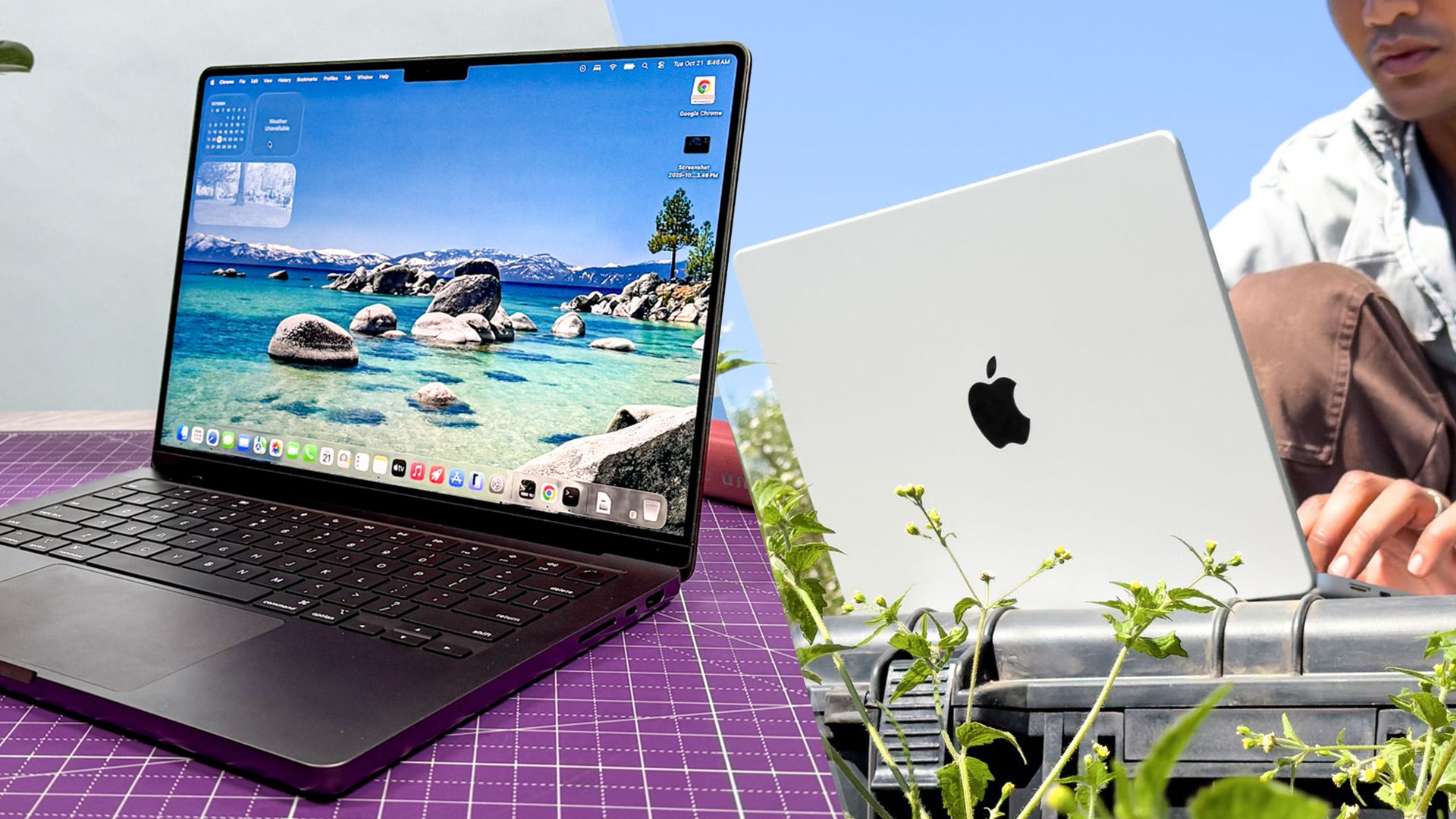
The 14-inch MacBook Pro M6 is here! This year’s model features the new Apple M6 chip, promising faster performance and longer battery life. And thanks to the Apple N1 chip inside, this laptop supports Wi-Fi 7 and Bluetooth 6 . However, due to Apple's price hikes , this entry-level MacBook Pro now starts at $1,999.
The new MacBook Pro M6 has all the updates we’ve come to expect from yearly iterations. That raises the question: is it a meaningful upgrade over the MacBook Pro M5 ? To answer that, I’ll outline all the upgrades and what has stayed the same to help you decide whether you need to upgrade.
Here are the biggest upgrades between the MacBook Pro M6 and the MacBook Pro M5 that you need to know.
The first big difference between the new MacBook Pro and the previous model is the starting price. As I said in the intro, this new MacBook Pro is significantly more expensive.
Whereas the M5 MacBook Pro originally cost $1,599, the new model starts at $1,999. While that’s actually the current price of the M5 MacBook Pro, thanks to RAMageddon , that’s a small consolation. And of course, choosing more storage and RAM will bump up the price even further.
Next up is the inclusion of an Apple M6. Like the A20 Pro chip in the iPhone Duo , this new processor is based on TSMC’s 2-nanometer architecture that’s meant to deliver notable power and efficiency gains over M5. Based on our testing of both chips, said gains should be around 10-15%.
Compared to the M5 chip's 10-core CPU and 10-core GPU, the M6 upgrades both by adding two extra cores each. It also incorporates a Dual 16-core Neural Engine designed for machine learning and AI tasks.
Mac mini M6
MacBook Pro M5
MacBook Pro M5 Pro
Geekbench 6.7 single-core
4708
3613
3701
Geekbench 6.7 multi-core
21405
17505
29411
Handbrake (Mins:Secs)
2:45
3:31
1:45
Apple says that the 12-core GPU delivers up to 25 percent faster AI performance and up to 30 percent faster graphics processing than the M5.
Furthermore, the Neural Engine is enhanced by dedicated Neural Accelerators built into each GPU core, giving the M6 MacBook Pro a substantial edge when running AI-driven creative software.
While we need to bring the MacBook Pro M6 into our lab to see what it can do, we have a sense of what to expect from our testing of the new Mac mini M6 . As you can see above, there are noticeable performance gains, though nothing earth-shattering. That said, you’ll certainly feel the difference if you’re still using an M1 or M2 MacBook Pro.
Connectivity also gets a nice upgrade on the MacBook Pro M6, as this model features Apple's N1 chip, which supports Wi-Fi 7 and Bluetooth 6.
This delivers higher throughput and lower networking latency than the previous model’s Wi-Fi 6E and Bluetooth 5.3. On top of that, Bluetooth 6 offers better power efficiency and enhanced location tracking for wireless peripherals, such as headphones and game controllers.
Speaking of power efficiency, Apple claims the M6 MacBook Pro delivers up to 24 hours of battery life. We’ll need to run our battery test to confirm, but given that the M5 MacBook Pro lasted 18 hours, 24 hours might not be too far off.
Apple’s MacBook Pro line has featured the same design since late 2021 and things haven’t changed with the M6 model. That means we get another sturdy yet light slab of machined aluminum that’s easy to travel with and use.
The MacBook Pro M6 has the same dimensions (12.31 x 8.71 x 0.61 inches) and weight (3.4 pounds), along with identical color choices in Space Black and Silver. The port selection remains unchanged as well, offering an SDXC card slot, three Thunderbolt 4/USB4 ports, an HDMI port, MagSafe 3 charging, and a 3.5mm headphone jack.
Apple has kept the 14.2-inch Mini-LED display running at 120Hz ProMotion for the M6 MacBook Pro refresh. We still have the notch cutout at the top, and no Dynamic Island-like functionality. If rumors are true, that's an upgrade reserved for the still-unannounced MacBook Pro OLED.
MacBook Pro M5
MacBook Pro M4
Nits (brightness)
558 (SDR) | 1,109 (HDR)
556.6 (SDR) | 1,096 (HDR)
sRGB
115.4%
113.3%
DCI-P3
81.7%
80.2%
Delta-E
0.20
0.19
Since the display isn’t different, our benchmarks for the MacBook Pro M5 should be virtually identical on the new model. That means you’ll get excellent color representation (sRGB and DCI-P3) and color accuracy (Delta-E). Even without an OLED, the M6 MacBook Pro’s mini-LED panel should be a feast for the eyes.
Here is a brief rundown of everything else that’s the same on the new MacBook Pro M6.
As expected, the 14-inch MacBook Pro M6 is largely a modest refresh of previous models. But while there are no revolutionary upgrades, the M6 chip should provide meaningful performance and efficiency boosts. This is especially true for anyone still using an older M-series MacBook Pro or an even more ancient Intel model.
If you fall into the latter camp, then the MacBook Pro M6 is worth considering, even if it costs much more than before. However, anyone still using an M5- or even M4-powered MacBook Pro might want to reconsider, as those machines are still plenty powerful.
The MacBook Pro M6 arrives on November 6, so stay tuned for our full review where we’ll put Apple’s new flagship laptop through its paces.