I reviewed the Hisense 65M7SR, and it’s the budget Mini-LED Roku TV I’d recommend to most people
Latest from Tom's Guide ·
null
Mini-LED used to be something you paid a premium for. Now, it's showing up on the best TVs that cost less than a weekend trip. The Hisense 65M7SR is a prime example of that: a 65-inch Mini-LED TV with Dolby Vision, Roku's famously streamlined interface, and a list price of $699.99 that I wouldn't expect anyone to actually pay (it’s on sale often for as low as $399.99).
This is Hisense's entry point into Mini-LED, so it makes a couple of trade-offs to hit that price, namely a 60Hz panel and HDMI 2.0 port setup. I spent some time with the 65-inch model, watching shows on Netflix, soaking in 4K videos on YouTube, and playing a couple of PlayStation 5 games, and I came away much more impressed than I expected. The 65M7SR won’t dazzle anyone on paper, but in my real-world tests, it held its own very well.
The Hisense 65M7SR launched in September 2026 and comes in a handful of sizes. Here's how the lineup breaks down:
• Hisense 50M7SR (50-inch): $499.99
• Hisense 55M7SR (55-inch): $549.99
• Hisense 65M7SR (65-inch): $699.99
• Hisense 75M7SR (75-inch): $899.99
• Hisense 85M7SR (85-inch): $1,299.99
That $699.99 sticker price is more of a suggestion at this point. I've seen the 65-inch model drop to just $399.99 more than once, and that's the price I’d expect to see it at for some time (still, snag one quickly if you absolutely want to lock in that discount). At $700, there are better TVs out there than the 65M7SR, but at $400, I think the purchase makes a lot more sense.
Sizes available
50, 55, 65, 75, 85
Resolution
2160p (4K)
Panel type
MiniLED
Refresh rate
60Hz
Supported formats
Dolby Vision, HDR 10, Hybrid Log-Gamma (HLG)
Ports
3 x HDMI 2.0, 1 x LAN, 1 x Optical digital audio, 1 x USB-A 2.0
Wireless
Wi-Fi 5, Bluetooth, Apple AirPlay 2
Size (65-inch)
56.9 x 34.6 x 11.7 (w/ stand); 56.9 x 33 x 2.6 in (w/o stand)
Weight (65-inch)
38.8 pounds
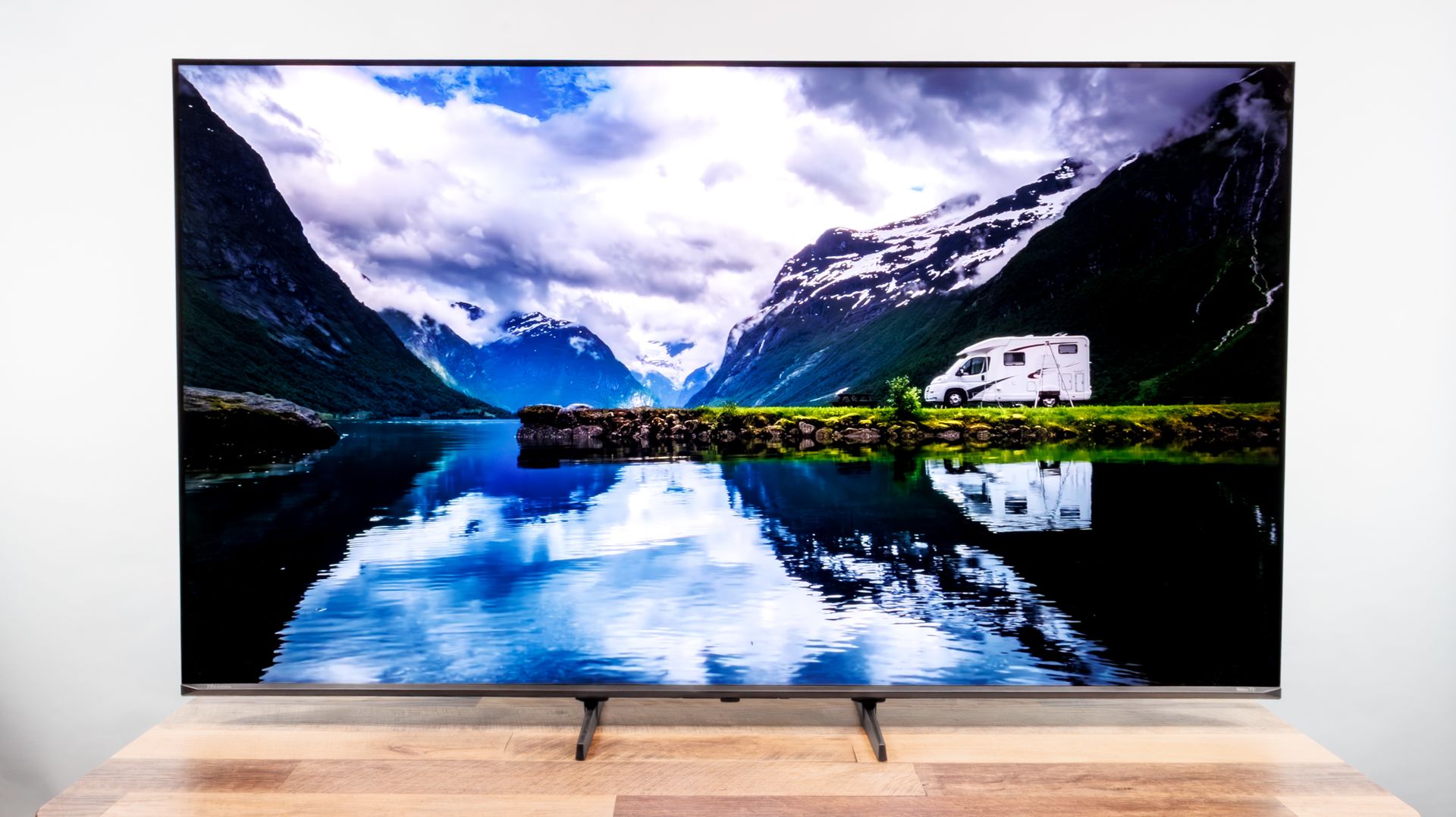
The 65M7SR sticks to the budget TV design playbook, but it pulls it off with a little more polish than I expected. The bezels are slim, the frame has a simple flat black, and the whole thing measures just 2.6 inches deep, so it won't look bulky on a stand or mounted on the wall. Without the stand, it weighs 38.4 pounds, so moving it around is pretty easy.
The 65M7SR sticks to the budget TV design playbook, but it pulls it off with a little more polish than I expected
If you'd rather set it on furniture, the included feet can be placed in two different configurations: sitting out toward the edges of the screen, or closer to the center. I like keeping them at the center because they take up less space and are compatible with more media setups. That’s why center pedestal stands will always be best in my eyes, but this style comes in at a close second. It's a clean, no-frills look, and I mean that as a compliment.
The 65M7SR has three HDMI ports, all of which are HDMI 2.0 (that, coupled with the fact that its refresh rate of 60Hz means is not going to make the list of our best gaming TVs . ). Still, one of them supports eARC, so you can hook up a soundbar without sacrificing an input. Beyond that, you get a USB-A port, Ethernet, optical digital audio out, and a cable/antenna input.
Three HDMI ports are plenty for most setups, though if you've got a soundbar, a console, and a Blu-ray player, you'll fill them up quickly. Another thing to note: the 65M7SR doesn’t support Bluetooth, so you can't pair wireless devices directly with the TV. That's a bummer, but I don’t feel it’s a deal-breaker at this price.
I started my testing with "East of Eden" on Netflix, and the picture looked great right away. Colors were rich, and skin tones looked natural compared to the overcooked look that many budget TVs fall victim to. SDR brightness is a strength here (the 65M7SR hit 466 nits in our testing, the highest in the test results table below), so the image stayed punchy and easy to see even with the lights on. Dolby Vision support (which is rare on a TV at this price) made the whole experience feel more cinematic than I expected.
Next up was "Cyberpunk Edgerunners 2," also on Netflix, and it might have been my favorite stretch of the whole test. The show's neon-soaked city is basically a stress test for color, and the 65M7SR handled it with ease. Signs and lights popped against the dark backdrops, and the fast-moving action scenes stayed crisp and smooth.
Hisense 65M7SR
Hisense QD7
Vizio VQM65C
Hisense U6SF Pro
TCL QM64L
SDR Brightness (10%, in nits)
466
402
219
358
359
Delta-E (lower is better)
3.05
1.75
4.6
1.58
3.262
Rec. 709 Gamut Coverage
99.29%
99.56%
96.82%
98.85%
96.51%
HDR Brightness (10%, in nits)
463
659
781
1,265
630
UHDA-P3 Gamut Coverage
95.16%
94.33%
92.94%
96.10%
92.21%
Rec. 2020 Gamut Coverage
74.47%
74.73%
71.37%
75.12%
72.13%
Input latency (in milliseconds)
13.8
9.4
9.9
9.3
13.2
For our technical tests, we use a Jeti spectraval 1501-HiRes spectroradiometer, a Klein K10-A colorimeter, a Murideo 8K-SIX-G Metal pattern generator, and Portrait Displays’ Calman TV calibration software to take measurements. We also use a Leo Bodnar 4K Input Lag Tester for determining whether it’s one of the best gaming TVs .
Subjective tests vary based on the reviewer, but usually feature anecdotes from a diverse selection of movies, TV shows, and other content reflecting the types of things you may actually want to watch on the TV.
For a more detailed look at what we do and how we do it, check out our “ How we test TVs ” page.
Netflix’s "Grand Theft Auto VI Extended Look” looked just as good, with sharp detail and plenty of pop. The detail in the sun-bleached streets and the saturated sunsets came through clearly, though this is where the TV showed some of its limits. It peaked at just 463 nits in our HDR tests, which is the lowest in our results table, so don't expect searing highlights. I never felt like I was missing out while watching, but a brighter set like the Hisense U6SF Pro will make HDR content look a lot brighter. The TCL QM64L is another strong budget pick for HDR brightness at 630 nits and a great Amazon-Vega-OS-based alternative to the 65M7SR.
I also threw on some 4K nature videos on YouTube to see how the TV handles real-world detail, and they looked great. Foliage, water, and wildlife were richly detailed, and the colors were lively without being overly saturated or cartoonish. Color accuracy isn't the 65M7SR's strongest suit with a Delta-E of 3.05, but I didn't see anything that looked off, and its 95.16% UHDA-P3 coverage gives it plenty of range.
Gaming performance is solid for the price. I played some of "Marvel's Spider-Man 2" and "Marvel's Wolverine" on a PlayStation 5 to test the TV's gaming features, and both looked and felt great. Game Mode Plus and ALLM kept things feeling snappy, and VRR support helped keep the action smooth.
The 65M7SR's 13.8ms input lag is slightly higher than that of the other TVs in the results table, but I couldn't notice it at all. Swinging through Manhattan still looked gorgeous, and Wolverine's fast-paced brawls felt responsive from start to finish. The one catch is that the 60Hz panel and HDMI 2.0 ports mean you won't get the 120Hz modes that some games offer, so if you want that, you'll need to spend more.
The 65M7SR's built-in speakers are a 20W, two-channel setup, and they get the job done well enough. Dialogue came through clearly, which is the most important thing for a TV like this, but big moments, like the action scenes in "Wolverine," could use more punch and low-end weight than a pair of stock budget TV speakers can provide.
The fix is the same as it is for just about every TV: get one of the best soundbars . Luckily, the eARC-enabled HDMI port makes pairing one easy, so you can upgrade your audio without much hassle.
The 65M7SR runs Roku OS, and it's still the interface I'd pick over most others. The home screen is free of clutter (mostly), finding something to watch is painless, and every major streaming app is right there waiting for you. You also get support for Apple AirPlay, Apple Home, Alexa, and Google Home.
Roku's home screen still has a fair number of ads, and you'll notice them. But compared to the busier layouts on many competing TVs, it's easy to live with. If you want minimalism in your OS, Roku remains at the top of the pack.
The 65M7SR comes with the basic Roku remote, and it does exactly what you'd want it to do. It has a voice button for hands-free searching, dedicated buttons for popular streaming services, and a layout so straightforward that you could hand it to a guest, and they'd figure it out in seconds. It also has a relatively small form factor, which is great news if you’re averse to bulky peripherals (not so great if you often lose your remote, though).
The Hisense 65M7SR is a great pick for anyone looking to step up to Mini-LED for a low price. It delivers a vivid, colorful picture, smooth, responsive gaming, and Roku's excellent interface at a price you just can't beat. The 60Hz panel, HDMI 2.0 ports, and underwhelming speakers keep it from a perfect score, but none of them ruined my time with it.
If you want a faster 144Hz panel and HDMI 2.1 ports for gaming, look to the Hisense U6SF Pro , though it usually runs a couple hundred dollars more. If you're comparing it to other budget Mini-LED sets, the Hisense QD7 and Vizio VQM65C are both worth a look, too. The TCL QM64L is another good budget Mini-LED pick if you prefer Amazon’s Vega OS to Roku’s. But if you want an easy, great-looking TV that won't drain your wallet, the Hisense 65M7SR should absolutely be on your shortlist. Just do yourself a favor, and make sure you get it on sale.