I spent the weekend playing GTA 6 in AR glasses — and there’s no better way to keep your time in Vice City private while being fully immersed
Latest from Tom's Guide ·
Anthony Spadafora is the managing editor for security and home office furniture at Tom’s Guide where he covers everything from data breaches and malware to password managers and the best way to cover your whole home or business with a strong Wi-Fi signal. Before joining the team, he spent three years covering cybersecurity and B2B tech for ITProPortal while living in South Korea. After moving back to the US. Anthony joined the TechRadar Pro team where he covered these topics along with VPNs, web hosting, online collaboration software and video conferencing for four years. Anthony also has his ears to the ground and is on the lookout for the next major cyberattack or data breach. Based in Houston, Texas, Anthony also handles VPN testing for both Tom’s Guide and TechRadar. As someone who has worked from home exclusively since 2018, he has reviewed dozens of standing desks as well as office chairs and has taken a closer look at other essential remote working accessories. As part of these reviews, Anthony frequently builds intricate desk setups which is why he’s such a big advocate for cable management and keeping things organized. When he’s not writing, he can be found tinkering with PCs and game consoles, managing cables and making upgrades to his smart home.
After 13 long years, the wait is finally over, and like many of you, I couldn’t wait to load up GTA 6 for the first time this weekend. However, instead of playing on the largest screen in my house, I decided that a pair of AR glasses might be the best way to experience this new and improved Vice City. Let me explain.
With a game this massive and this anticipated, the last thing you want is to be interrupted — or worse, unable to play because someone else in your household claimed the TV first. Now, if you’re an adult who lives by yourself and got to play GTA 6 sprawled out on your couch with one of the best OLED TVs , more power to you.
For those of us with a significant other or kids at home, though, carving out the necessary time to finally play GTA 6 hasn’t been that easy. Fortunately for me, I knew there was another way instead of trying to sneak in a late-night play session in front of the TV.
You see, over the summer on a trip to Taiwan for Computex, I spent almost my entire 17-hour flight playing Red Dead Redemption on the Switch 2 in AR glasses. That got me thinking: what if I tried playing GTA 6 the same way? Well, that’s exactly what I did, and I don’t think I’d be nearly as far in the game right now if I hadn’t.
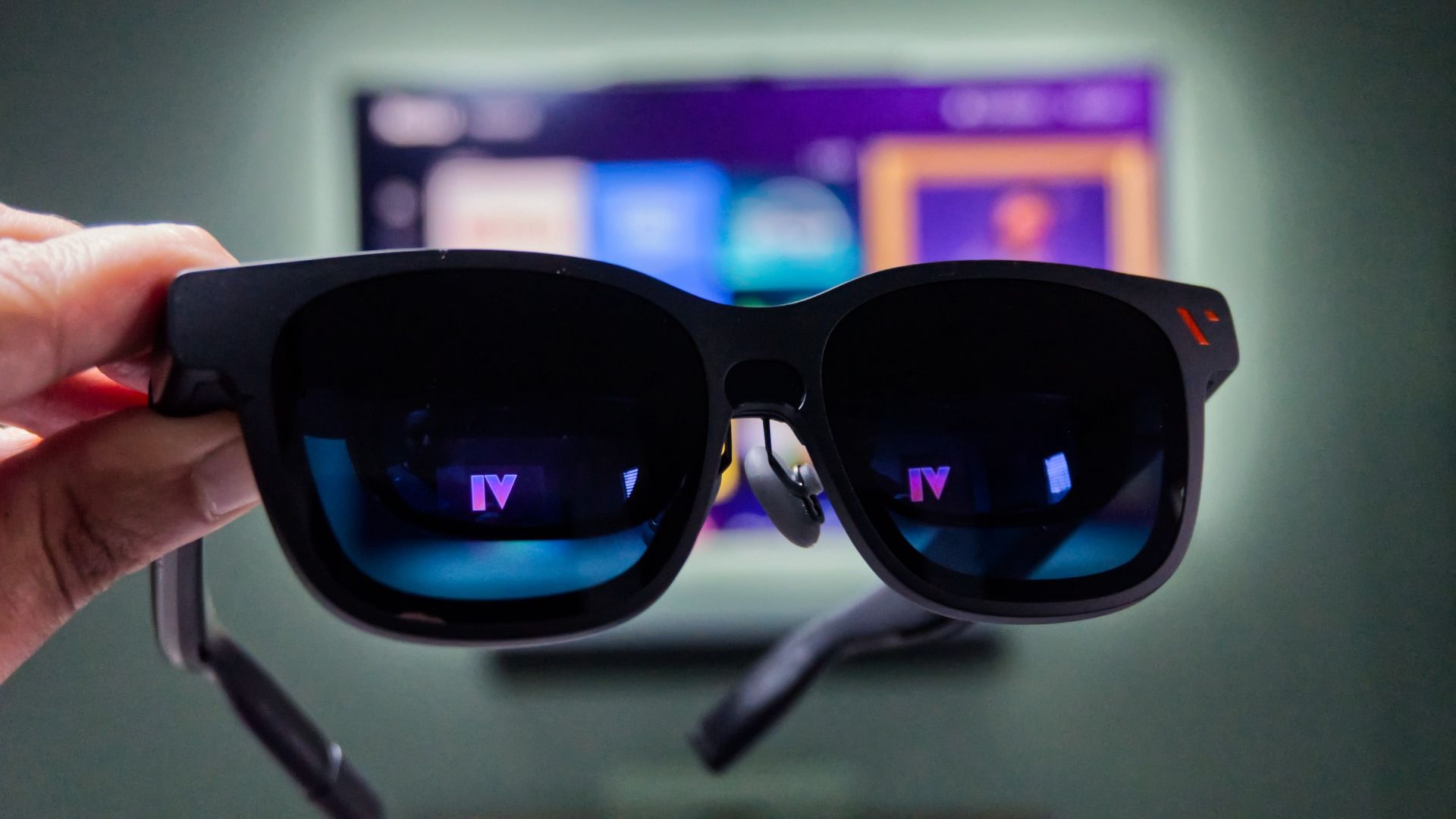
Here’s why you, too, might want to consider donning a pair of AR glasses—or more accurately, display glasses — to take in the sights, sounds, and excitement that Vice City has to offer in GTA 6.
Pro 2 Dock Pack: was $398 now $396 This bundle has everything you need to start playing your game consoles in AR. You get a pair of Viture Pro 2 XR glasses and the Viture Pro Mobile Dock. This way you can plug your Switch 2 in directly over USB-C or consoles like the PS5 or Xbox Series X in over HDMI and the included dock brings big-screen console gaming right to your glasses. Alternatively, if you only plan on playing your Switch 2 this way, you can pick up the Viture Pro 2 Mini Dock Pack for $375 (down from 428) right now. View Deal
With a gaming PC or even a handheld like the Steam Deck, playing with AR glasses is as simple as plugging them in. On a console, though, it’s not that easy. Fortunately, Viture makes a few accessories to help.
For instance, there’s the Viture Pro Mobile Dock and the new Viture Mobile Dock Mini. While I played RDR using the latter, when I tried playing my Switch 2 in AR glasses back at launch, I used the former. Don’t get me wrong, the new mini dock is super compact and easier to bring with you, but for playing on any console besides the Nintendo Switch, it’s missing one very important port: HDMI.
Now with the Pro Mobile Dock, in addition to USB-C out ports for two pairs of glasses — and a USB-C input for devices like the Switch 2 — you also get a full-sized HDMI port. Admittedly, I didn’t have a use for it before as I’ve mainly played games in AR glasses while traveling or on vacation, but with my PS5 Pro fired up with GTA 6 installed and ready to go, it was time to put it to the test.
I ran a long HDMI cable from the back of my console, plugged it into the dock along with a pair of the Viture Pro 2 AR glasses, powered it on, and I was good to go. GTA 6 appeared almost instantly on the Micro-OLED displays in the glasses, and since they have built-in speakers, that was all I needed.
Although I love their more affordable $299 price, Viture did have to cut one of my favorite features from its other glasses. Unlike the company’s other models — and this is true with the Xreal XBX A01 glasses, too — there isn’t any built-in electrochromic dimming. Instead, you get a lens shade in the box.
Now, if you’ve never worn a pair of AR glasses before, electrochromic dimming lets you go from a clear display where you can see the world around you (in addition to the content from your game console, phone, or tablet) to a dimmed one without ambient light seeping through, all with the push of a button.
The Viture Pro 2 glasses do have one feature going for them that made my GTA 6 play sessions a whole lot more comfortable, though. They’re extremely lightweight at just 63 grams.
Playing GTA 6 with AR glasses felt just like making my way through the Wild West as John Marston in RDR. I was able to take in all of Leonida without bothering anyone else in my house, and since the game runs at 30 fps, I didn’t lose anything when it came to visual quality. Now, if I were playing on PC, that would be a different story, since the Pro 2s come equipped with a 120Hz refresh rate — making them just as good for fast-paced games as they are for slower ones.
If you want to try something similar, you’ll get the best experience using the Pro Mobile Dock — or better yet, Viture’s new HDMI to USB-C adapter cable. Mine is still in the mail, though, so I made do with the Pro Mobile Dock, and for now, everything worked exceptionally well. However, that isn’t the only way to play GTA 6 in AR glasses.
Besides using Viture’s AR glasses with one of its docks, I’ve also spent a fair amount of time playing on a smartphone, too. If you have a newer iPhone, Samsung phone, or any smartphone with DisplayPort Alt Mode over USB-C, you just plug your glasses in and you’re good to go. With that kind of setup, you can load up a remote play app like PXPlay (for PlayStation) or XBXPlay (for Xbox) and use a wireless controller.
That does leave your phone just lying there, which is why Viture teamed up with 8BitDo a while back to create a variant of the 8BitDo Ultimate Mobile Gaming Controller with a full-featured USB-C port. On most mobile game controllers, the USB-C ports are just used for passthrough charging. With this one, though, you can plug in a pair of AR glasses and actually get video out.
Just like I did during my second long-haul flight to Taiwan a few years back, I popped my Samsung Galaxy S24 FE into the controller and plugged in my AR glasses. After getting PXPlay set up on that phone, I was able to use remote play on my PS5 Pro to play GTA 6 in bed.
As I was fixing up Jason’s house, though, I noticed that it was slightly difficult to see and read the button prompts on the edges of the screen. Since this was my first time playing GTA 6, I had no idea which button to press when using a nail gun to hang drywall or to fix the shingles on my roof. So I put the Pro 2s down and switched to the Viture Luma Pro glasses instead.
With the simple mission of giving you the best bang for your buck in AR glasses, Viture knocked it out the park with Luma Pro. These have the best color science of any glasses on this list, and there’s versatility in the Spacewalker software to turn any space into a giant 152-inch panoramic workspace with 3DoF tracking that keeps it anchored. View Deal
With their higher-resolution lenses (from 1080p per eye to 1200p), wider field of view (from 46 to 52 degrees), and redesigned optical stack, what was blurry on the Pro 2s became instantly clear on the Luma Pros. Now, if you’re on a tight budget and already know the controls, you can still definitely play GTA 6 with the Pro 2s. However, since I was new to the controls and had both pairs of glasses handy, making the switch was easy and absolutely worthwhile.
One feature that you’ll find on both pairs of glasses — and pretty much the rest of the AR glasses in Viture’s lineup — are myopia dials. With these, you can turn the dials to go from a blurry to a clear picture if, like me, you wear glasses or contacts. Most of the time I wear contacts, and I make it a point to have them in when wearing AR glasses. However, since I wanted to play in bed, I decided this was finally the time to try them out.
Now, I had to fully light the room in the pictures above, but on Friday and Saturday — and hopefully on Sunday evening once I’m done writing this — I cozied up in bed with that special 8BitDo controller and my AR glasses and played more GTA 6 than I’d like to admit. And frankly, it was awesome.
At first, I was a bit worried about the remote play experience with such a complex game, but with one of the best mesh Wi-Fi systems equipped with Wi-Fi 7 and a fast internet connection, it worked really well.
Now, I did have my PS5 Pro plugged into my router with an Ethernet cable during those play sessions. However, when I took the pics above, I had it unplugged, and that tanked the game’s performance. So if you want to play GTA 6 remotely — with or without AR glasses — I strongly recommend connecting your console over Ethernet for a smoother and more stable remote play experience.
As I’m also currently testing out the Viture Pro Neckband , I decided to put it on and go play outside for a bit of fun. While the device around my neck might look like a wearable fan, it’s actually a wearable Android tablet, if you can believe it.
Now, what I like about this setup compared to using the Pro Mobile Dock or a smartphone is that my hands weren’t weighed down and I wasn’t tethered to my console. Likewise, if you’re using a third-party app like PXPlay, you can use whatever controller you want and aren’t limited to just using a wired DualSense (like you are on PC).
Now, I must say that playing GTA 6 wasn’t nearly as good on the Pro Neckband as it was on a smartphone. Still, with my Eero Outdoor 7 mesh node on the fence behind me and seated in The Foldable Gaming Chair , it was quite comfy and still very playable. If only the weather had been Vice City sunny instead of overcast.
With a pair of AR glasses and the right dock — or even a capable smartphone — the possibilities are really endless. You’re not just limited to sitting in front of your TV or, if you have kids like I do, playing at your desk. On that second point, I haven’t seen anything too spicy — except for Mandy in a bikini — just yet, but given this is Grand Theft Auto after all, I know it’s coming. I wouldn’t want my son or my wife walking in on something inappropriate on my TV, and by playing with AR glasses on, I don’t have to worry about it.
Now, I know AR glasses, or display glasses, aren’t a must-have gadget like a smartphone, but they make for a very useful accessory. While they’re amazing on planes — and trust me, I’ve put in quite a lot of hours gaming or even watching movies with them aboard an aircraft — they’re just as useful and convenient at home.
As for me, it’s time to get back to Vice City and enjoy the quiet, slow-paced life of Chapter 1 before I eventually have to go pick up Lucia from prison.