I really wanted to love the Fitbit Edge, but after 2 weeks, here are 3 things I wish Google had done differently
Latest from Tom's Guide ·
Jane McGuire is Tom's Guide's Fitness Managing Editor, which means she looks after everything fitness-related — from running gear and fitness trackers to yoga mats and sports bras. An avid runner, Jane has tested and reviewed fitness products for the past five years, so she knows what to look for when finding a good running watch or a pair of shorts with pockets big enough for your smartphone, running gels, and house keys. Jane has run six marathons — the London Marathon five times, and the Berlin Marathon once -and is still on a quest to tick off all of the marathon majors. Her marathon PR is 3:30, which she ran in the New Balance Supercomp Elite V5's, but she also spends a lot of time talking about her ‘joy plan’, where she runs for happiness, not for PR’s. Previous to Tom’s Guide, Jane worked for Runner’s World, where she co-hosted the Runner’s World podcast. She also presents on a YouTube channel called the Run Testers, alongside other running-mad journalists, where they review the latest shoes, kit, and tech. Her work has also appeared in Coach, Get Sweat Go, and Women’s Health. When she's not pounding the pavements, you'll find Jane striding round the Surrey Hills, taking far too many photos of her spaniel, Toby.
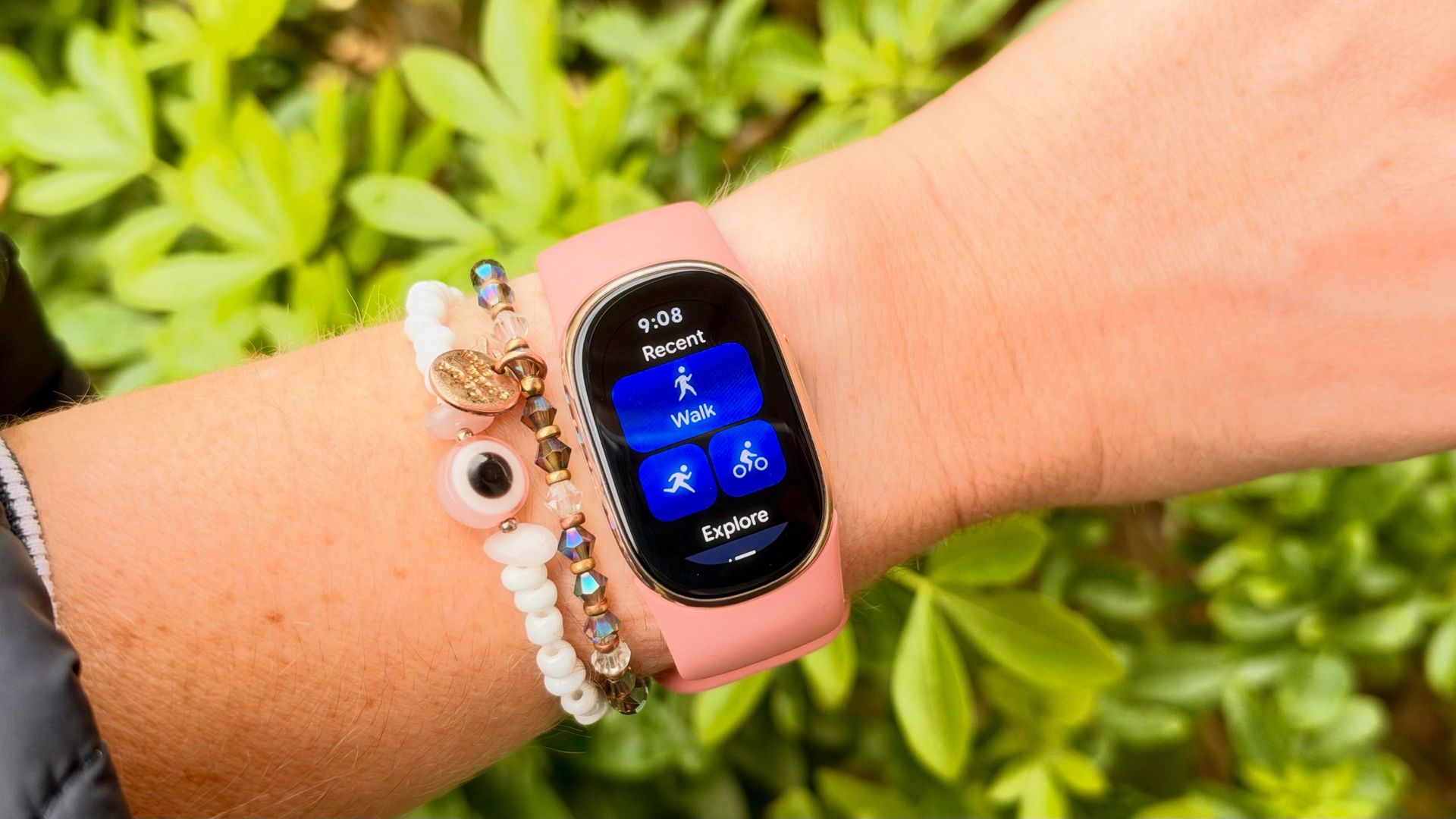
I really wanted to love the Fitbit Edge, especially when I unboxed the cute pink version of Google’s latest tracker. I’m a huge fan of the $99 Fitbit Air, which launched earlier this year and immediately became one of the best screenless trackers on the market. Yet after two weeks of wearing the Fitbit Edge, I’m not convinced — here are three things I wish Google had done differently.
Before we dive in, you can read my colleague Dan’s extensive Fitbit Edge review here, as well as our Fitbit Air review on Tom’s Guide.
Let’s start with what I do like about the $180 Fitbit Edge. Firstly, I’m a fan of the design and fit of the tracker: it’s comfortable and unobtrusive on my wrist, especially compared to the likes of the Apple Watch Ultra 4 or Fenix 9 Pro , which I’ve recently been reviewing.
It’s dainty, and Google has done a fantastic job of releasing a huge range of swappable straps to suit every style. If you want a fitness tracker that’ll disappear, this isn’t quite as tiny as the Fitbit Air, but it still ticks that box.
I also think this device is pretty well priced. It’s $80 more than the Fitbit Air, but you’re getting a screen and built-in GPS. If you’re after a sports watch, I’d still recommend looking at something like the Coros Pace 4 , which comes in at a similar price point, but for a fitness tracker, you’re getting a decent amount for your money with the Fitbit Edge.
Now onto the not-so-good bits.
Sure, it’s great to have a physical button on a fitness tracker, and this one is better than the haptic buttons we saw on the Fitbit Charge 6, but I’m a little frustrated by how little the Fitbit Edge’s button actually does.
For example, you’d expect the button to start a run, not just stop it; instead, you still need to tap the screen before you start moving. Any runner knows nothing’s more frustrating than trying to swipe a touchscreen with sweaty fingers, especially on the start or finish line of a race.
The same applies to the stopwatch feature — you’d expect pressing the button would allow you to start the stopwatch, but instead it takes you back to the home screen. I’m never one to complain about a button on a wearable; in fact, the more buttons, the better, but I’m confused why the Fitbit Edge’s button doesn’t do an awful lot.
One thing missing from the Fitbit Edge compared to its predecessor, the Fitbit Charge 6 , is contactless payments. Google says only 1% of Fitbit Charge 6 users utilized this feature, which is why they decided to remove it from the Fitbit Edge, but it still feels like a slightly odd decision in 2026.
Most people will be buying a fitness tracker to track their workouts, and I found a few things missing during my testing. Firstly, you can’t customize the data fields in workout modes or reorder them to see the ones most important to you. Again, this isn’t a deal breaker, but when the screen is that small, it would be nice to prioritize the data fields you care about most.
Secondly, I really wish you could do more when you’re on a walk or run. For example, you can’t use Google Maps navigation in workout modes, which is something I used pretty frequently when running or hiking around a new neighborhood. You also can’t control your music from the Fitbit Edge once you’re in a workout mode, which again, is something I didn’t realize I relied on until it was gone.
It’s also worth flagging that the GPS on the device is automatically set to dynamic, which means it switches between using your phone’s GPS and the built-in GPS. When you switch the tracker to using the built-in GPS, I found it takes a hit on battery life, using around 11% for an hour-long run.
It’s worth noting here that I’m probably not the target audience for the Fitbit Edge. The majority of people who buy this tracker won’t be using it for everyday runs or super-accurate GPS maps.
It’s designed for the casual fitness enthusiast who wants to keep an eye on their daily health metrics, and for that user, it does a great job. If you’re an endurance athlete or a serious runner, there are better devices on the market for you. Plus, if you’re not, a lot of these problems can be solved with a firmware update, so I wouldn’t let it put you off entirely.