The xBloom Studio is perfect for pour-over nerds and coffee snobs — but comes with a price tag outrageous enough to make even Fellow and Acaia gearheads wince
Latest from Tom's Guide ·
Erin Bashford is a senior reviews writer at Tom’s Guide. She has a Master’s in Broadcast and Digital Journalism from the University of East Anglia and 7 years of experience reviewing music and events for various publications. She has edited publications such as Outline Magazine’s Guide to Norwich, and she has written for a number of music magazines and websites such as Clash Magazine, Outline Magazine and Dork Magazine. She has a strong interest in audio gear and the music world. As an ex-barista, Erin is passionate about coffee tech. She also loves finding the best cooking hacks and kitchen appliances, including her beloved Instant Pot. In her spare time, you can find her reading, practising yoga, hiking, writing fantasy novels, or stressing over NYT Games.
I'm Erin, and welcome to The Coffee Lab Episode 25, the series where we forget coffee snobbery. The Coffee Lab is all about making coffee fun. Join me as I help you kickstart your coffee journey!
I'm just going to rip off the Band-Aid: the xBloom Studio coffee machine is $599. Alright, now that's out in the open, let's get to the bottom of what the xBloom Studio actually is.
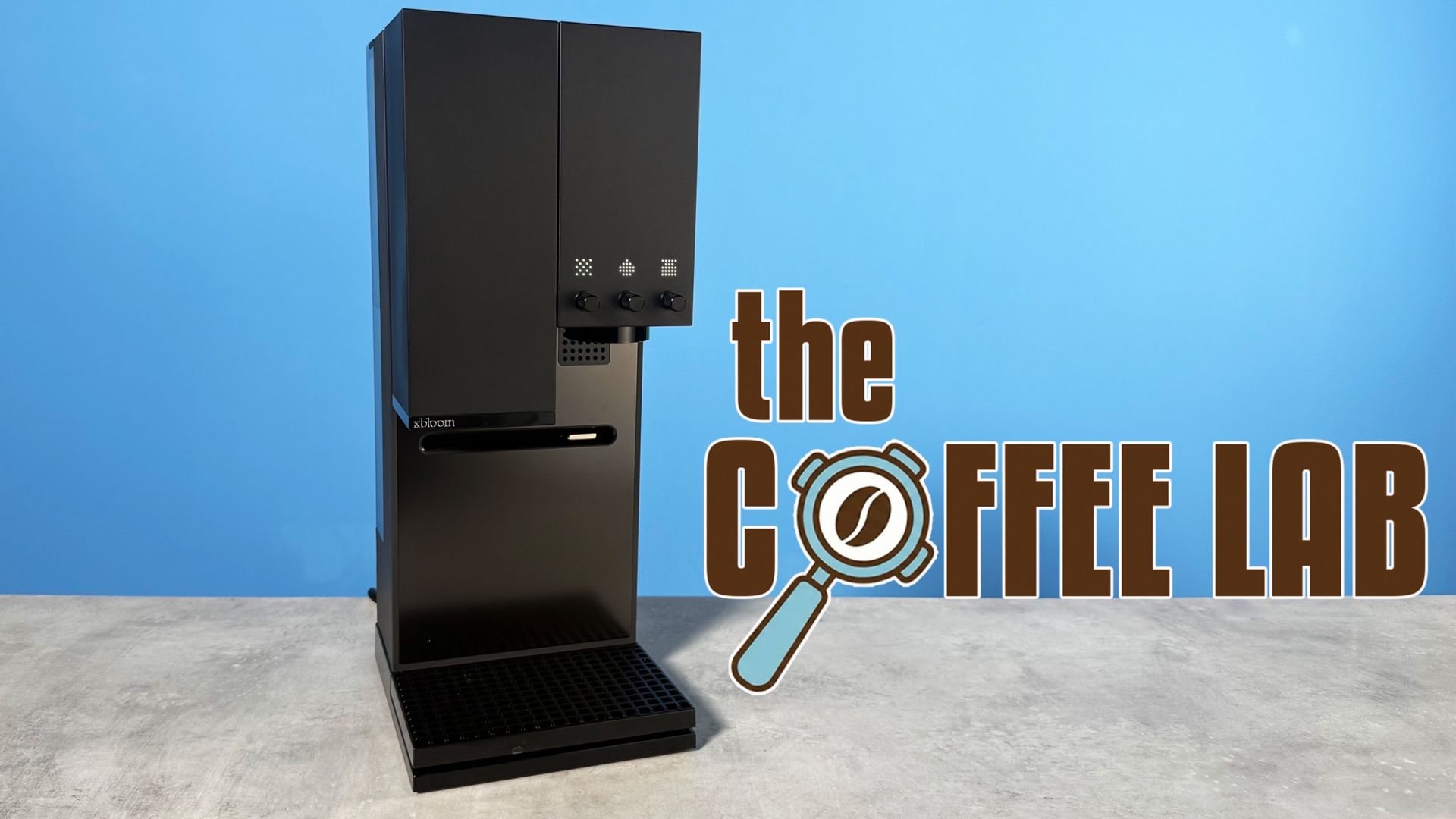
Although it looks like something you'd find in a minimalist NYC apartment (life goals), the xBloom Studio is a maximalist coffee machine. It's a pour-over, scale, and grinder in one. It's even app-compatible, so you can customize your drink down to the milliliter.
Like the Ratio Four ($279), it's an automated pour-over, but unlike the Ratio Four, it's got the aforementioned built-in grinder, built-in scale, and app control. Is that extra $329 worth it? That's the question we're trying to answer this week on The Coffee Lab. Is the xBloom Studio one of the best coffee makers , even at $599?
The xBloom Studio is three products in one.
There's a grinder, a scale, and an automated pour-over. If you buy the Ratio Four, you would need to buy one of the best coffee scales and one of the best coffee grinders separately. These could easily set you back a grand — grinders are particularly pricey (especially my favorite grinder, the $1,500 Mazzer Philos ).
However, you could also get a cheap setup; I always recommend the Wacaco Exagram Pro ($49) and the Timemore Chestnut C2S ($60) for seriously low budgets. With the Ratio Four ($279), this would cost $388. That's still $211 cheaper than the xBloom Studio, though it adds more clutter to your coffee space.
Would you pay the extra 200 bucks for an all-in-one? I'm not sure I would, but of course I can't tell you how to think.
One of the best parts of the xBloom Studio is its customizability. You can make pour-over, xPod (like a fancy Keurig), or even a big batch of pour-over. And every step of those brewing processes is customizable — you can adjust temperature, volume, ratio, and grind speed.
This coffee maker is for serious coffee lovers. You can get incredibly granular, and the xBloom app (more on that later) can literally graph your flow rates. Yep, this isn't a machine for the everyday coffee drinker. I'd recommend this one only for self-professed nerds. While there's nothing wrong with this at all — different strokes for different folks — it's just worth noting if you're a total beginner. If you are a total beginner, I might suggest something like the pod coffee Lavazza Tabli, or if you want a pour-over, start cheap with the Chemex or Hario V60 — definitely the best pour-over coffee makers .
It's not just coffee, either — you can brew tea! Specialty tea is just as delicious as specialty coffee, and with adjustable temperature control, the xBloom can go as low as 100°F (perfect for some types of white tea, for example).
Yes, the xBloom Studio has an app. Because why wouldn't it? It's a new(ish) coffee gadget. Of course it has to have an app.
I'm so sick of apps in general. Why do I need a different app for my speaker, my soundbar, my air fryer, my coffee maker, my watch, my headphones, my earbuds, my alarm clock? Can't we just put a stop to this madness?
Jokes aside, I suppose the xBloom app has a few useful functions. You can customize the NFC card (pictured above) with your go-to recipe. You can also adjust brew volume, brew temperature, and flow rate on the app. You can also program the built-in scale and grinder and configure the pouring direction.
So, I suppose, in the grand scheme of companion apps, the xBloom one is pretty useful. I just wish we didn't need apps at all — I wish this were all built into the machine. I have companion app fatigue. What if I didn't have a smartphone? I'd miss out on 90% of xBloom's USPS.
What do you think? Would you spend $600 on this coffee machine? Let's do a quick rundown of its features again.
As I'm sure you're aware by now, the easiest way to describe the xBloom Studio is as a grinder version of the Ratio Four ($279). The Ratio Four is an automatic pour-over, so you get the delicate flavor of pour-over without the effort. The xBloom Studio makes the same type of coffee, but with a built-in grinder.
Would you pay $600 for an automated pour-over with a built-in grinder? Or do you think that's way too expensive?
As much as I like the appearance and ambition of the xBloom, it's way too expensive for me. There's a lot going for it, but it'll cost you. Let me know what you think in the comments, and check back next week for the next episode of The Coffee Lab.